Xhorse has recently launched the new XDNPL1GL solder-free adapter, designed specifically to read and write data for the new Land Rover BCM (95128 chip) without any soldering.
If you are wondering how to hook up this adapter with your Multi Prog or VVDI Key Tool Plus PAD, follow this straightforward connection guide.
Step 1: Open Software & Find the Chip
First, launch your Multi Prog software. Use the quick search bar to type “95128” and select the correct Land Rover BCM 95128 option.
Step 2: Choose the Correct Adapter Board
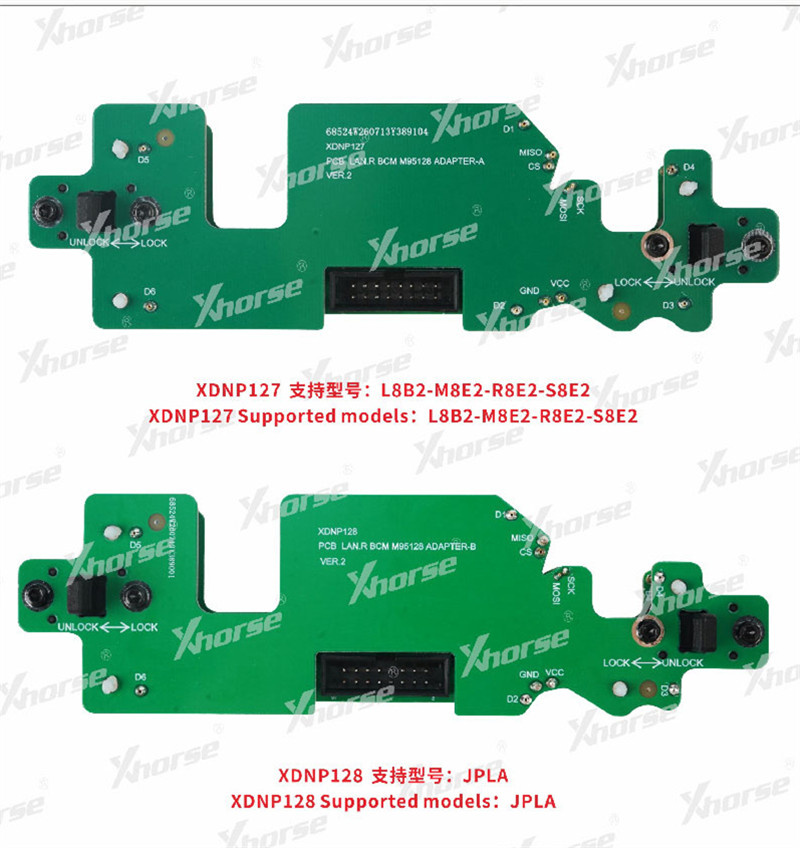
The XDNPL1GL kit comes with two distinct interface boards:
- XDNP127:For module versions L8B2, M8E2, R8E2, and S8E2.
- XDNP128:For JPLA module versions.
- Note:These two adapters are completely incompatible with each other, so make sure to pick the right one that matches your specific BCM module.
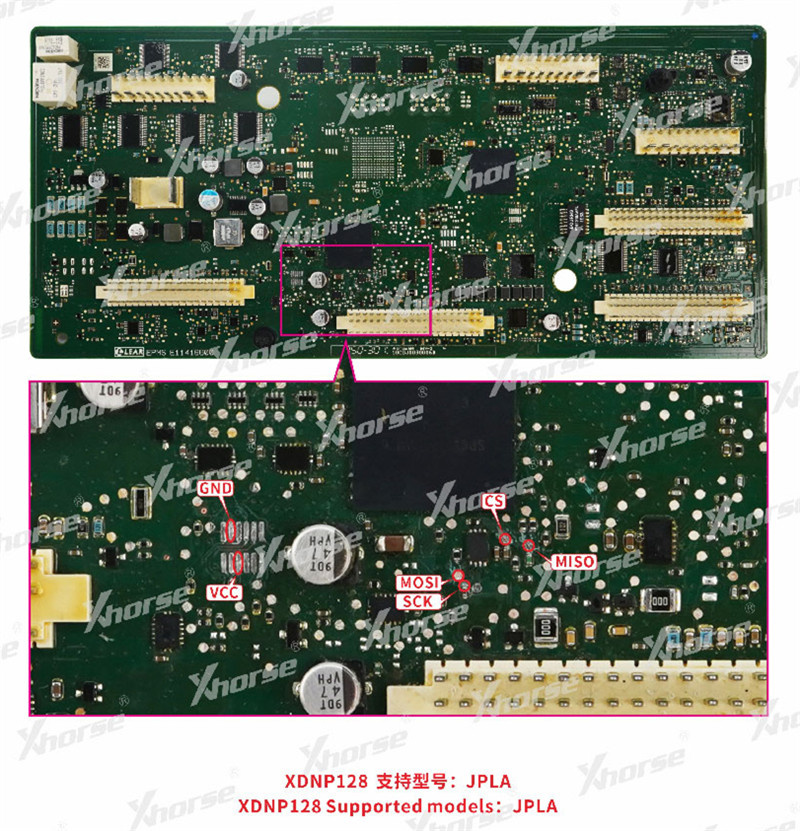
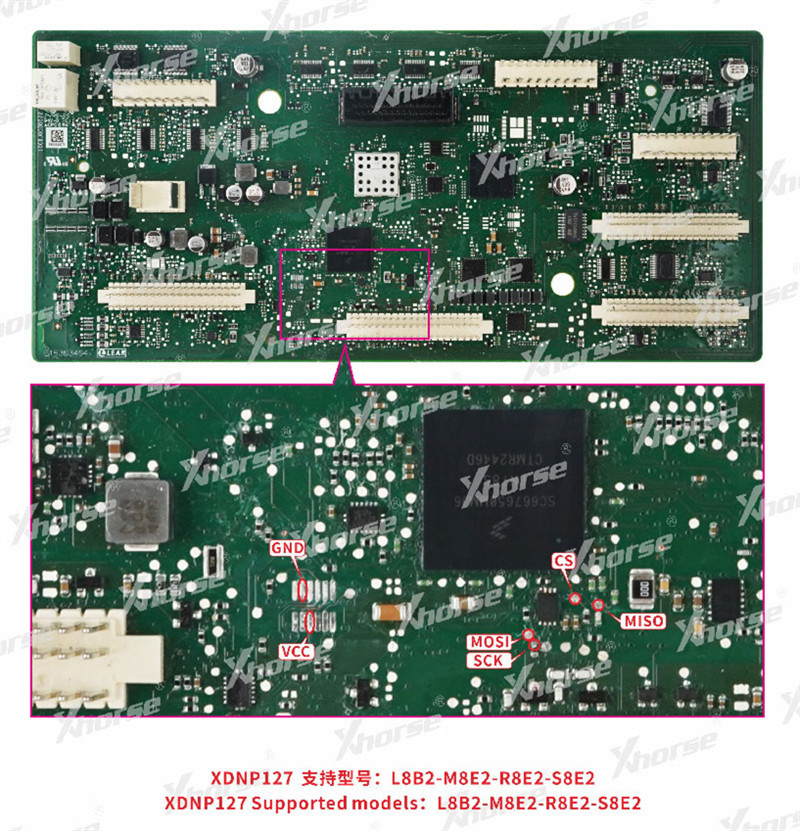
Step 3: Connect the Hardware
Securely install your chosen adapter (XDNP128 or XDNP127) onto the BCM module.
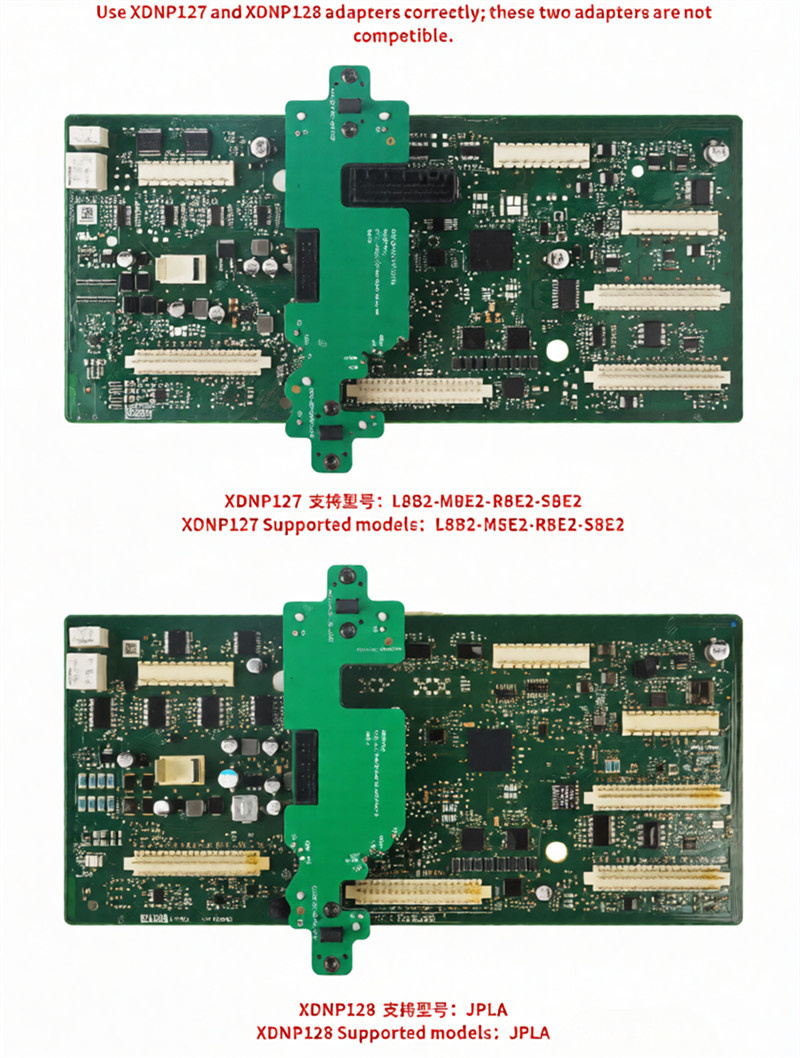
Finally, link the adapter to your Xhorse Multi Prog or Key Tool Plus using the matching adapter cable, and you are ready to read or write data.