Problem:
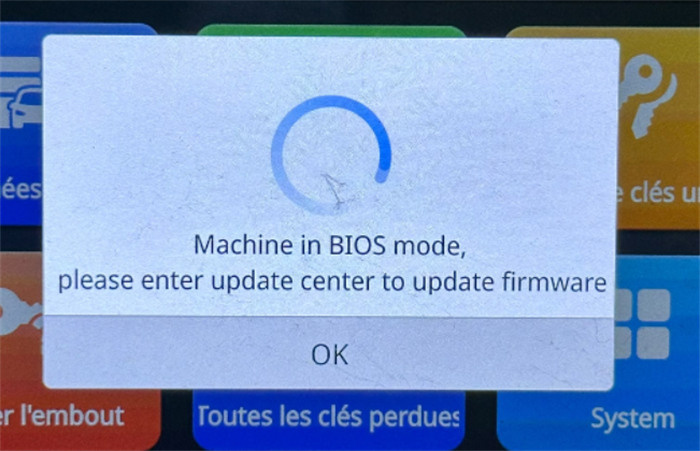
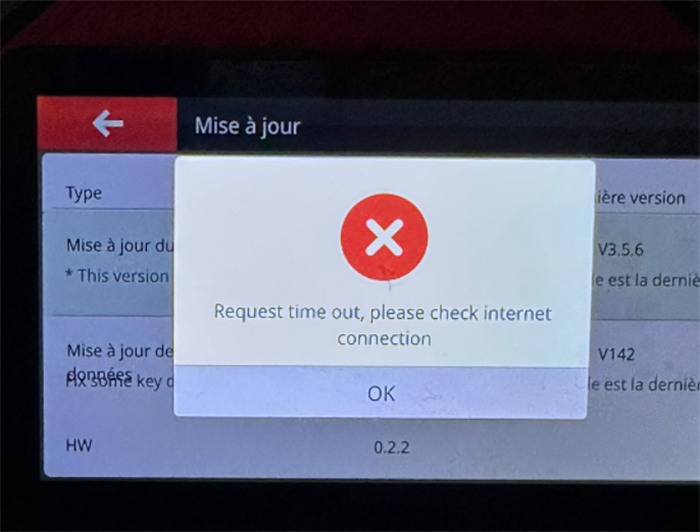
When updating the firmware on Xhorse Dolphin XP-005L key cutting machine, the process fails and displays the following errors:
- Request time out.
- Machine in BIOS mode.
Solution:
Step 1: Network & Battery Disconnect
- Switch to a stable network connection (e.g., mobile hotspot or stronger Wi-Fi).
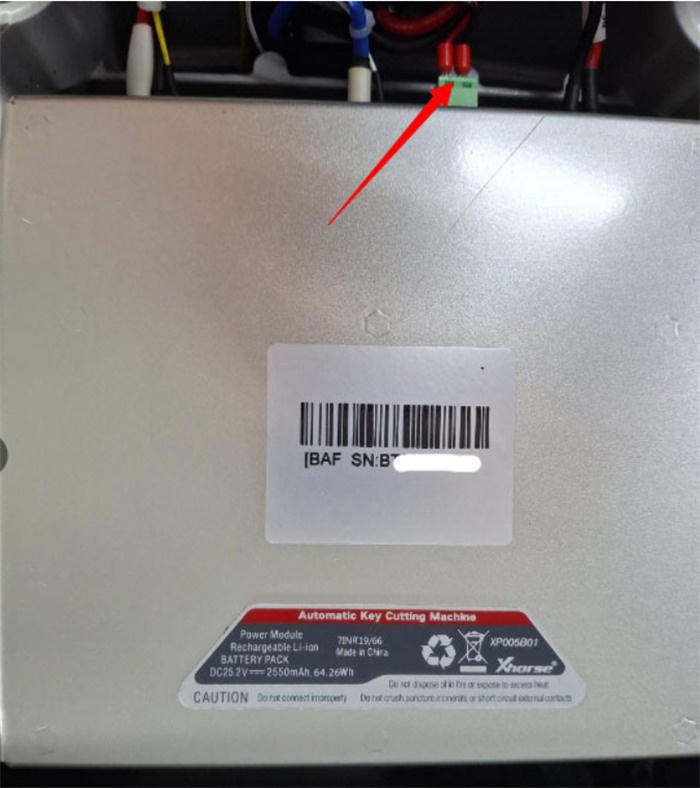
- Open the device casing and disconnect the green connector cable from the internal battery.
Step 2: First Firmware Update
- Plug in the main power source and turn on Dolphin XP-005L(with the battery cable remaining disconnected).
- Run the firmware update procedure again until it completes successfully.
Step 3: Reconnect & Second Firmware Update
- Power off the device and reconnect the green battery cable back into its port.
- Power on the machine and perform a second firmware update to complete the system restore.
Tech support:
Email: Sales@xhorseTool.com
Skype: VVDI2shop.com
Whatsapp/Tel: +86 15387077565